


Oracle VirtualBox Hands-On Guide: Installation, Virtual Machine Setup & Practical Recap
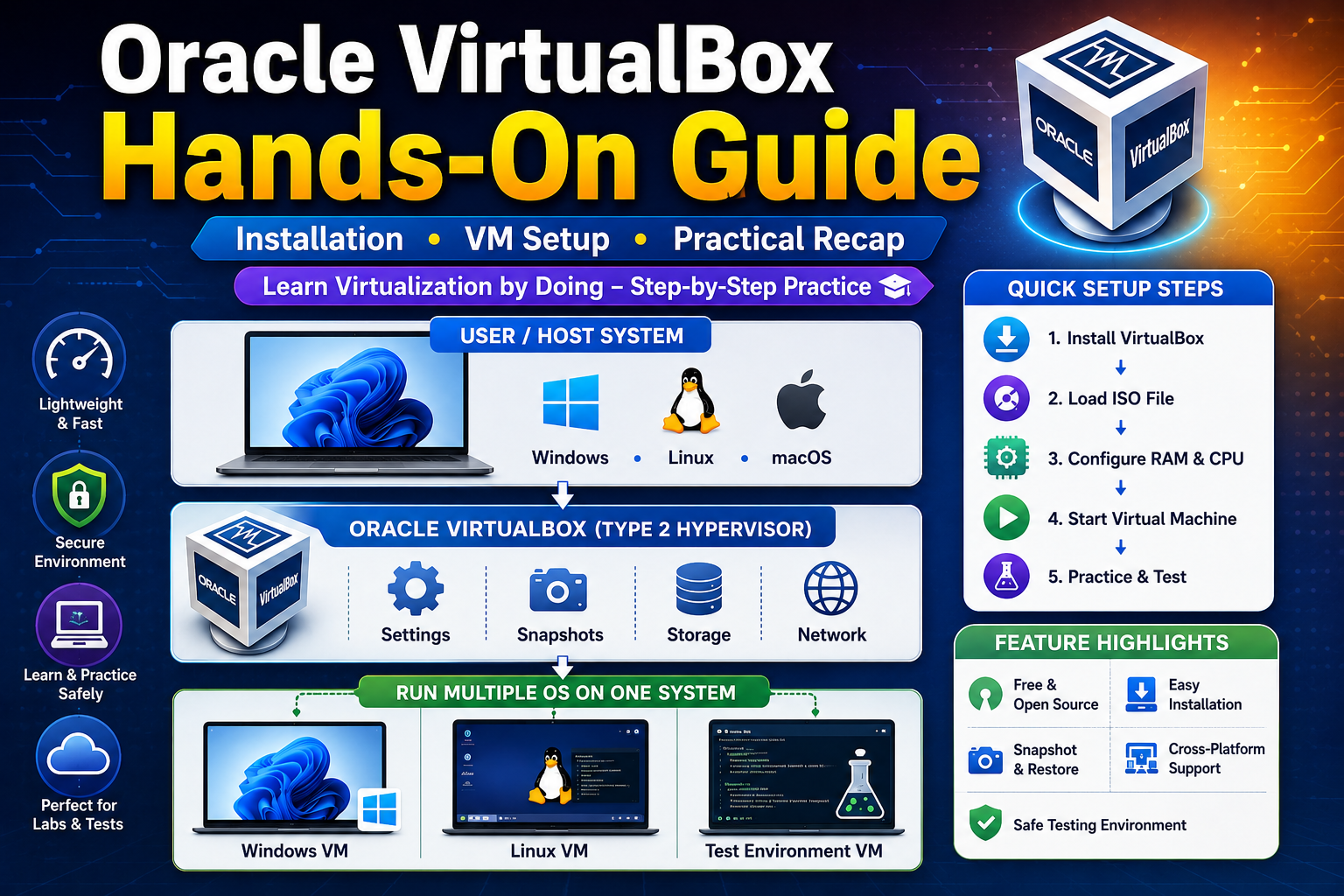
Virtualization is an essential skill in today’s IT environment, and Oracle VM VirtualBox provides one of the easiest and most accessible ways to get started. Whether you're a beginner exploring operating systems or an IT professional testing environments, VirtualBox offers a powerful yet user-friendly platform for creating and managing virtual machines.
VirtualBox is a Type 2 (hosted) hypervisor, meaning it runs on top of an existing operating system such as Windows, Linux, or macOS. This makes it incredibly easy to install and use without requiring dedicated hardware. With just a few clicks, users can create virtual machines and run multiple operating systems simultaneously on a single physical computer.
In this hands-on guide, you’ll learn how to install VirtualBox, set up your first virtual machine, and configure essential resources such as CPU, RAM, and storage. The process typically starts with downloading VirtualBox from the official Oracle Corporation website, followed by installing the extension pack for enhanced functionality. Once installed, you can create a new virtual machine by selecting an OS type, allocating system resources, and attaching an ISO file to begin installation.
One of the most useful features of VirtualBox is its flexibility. Users can easily take snapshots to save the current state of a virtual machine and revert back if needed. This is especially helpful for testing software, running experiments, or learning new technologies without risking the host system. Additionally, VirtualBox supports shared folders, drag-and-drop functionality, and seamless mode, allowing smooth interaction between the host and guest operating systems.
From a practical perspective, VirtualBox is widely used for learning purposes, software testing, development environments, and cybersecurity labs. Students and beginners often prefer VirtualBox because it is free, open-source, and easy to understand compared to enterprise-level hypervisors. However, since it is a Type 2 hypervisor, it may not deliver the same level of performance as Type 1 hypervisors like VMware ESXi, especially in large-scale production environments.
In the recap, VirtualBox stands out as an excellent tool for hands-on practice in virtualization. It bridges the gap between theory and real-world implementation by allowing users to experiment safely in a controlled environment. While it may not replace enterprise solutions, it plays a crucial role in building foundational skills.
Overall, mastering VirtualBox is a smart first step for anyone looking to enter the world of virtualization, cloud computing, or system administration.

 English
 Arabic
 French
 Spanish
 Portuguese
 Deutsch
 Dutch
Dutch
 Italiano
 Russian
 Romaian
 Portuguese (Brazil)
 Greek
Greek